

Operations
The money pipeline — billing periods and their charges, invoices, adjustments, carrier reconciliation, the ad-hoc approval inbox, and stranded money.
Billing → Operations (/billing/operations). "Periods, invoices,
adjustments, carrier reconciliation, and the ad-hoc approval inbox — the
whole money pipeline in one place." Six tabs: Periods & invoices,
Invoices, Adjustments, Carrier recon, and — for Tenant Admins —
Review inbox and Stranded money. The first four are scoped to the
client pinned in the top bar and show Select a client until one is; the
review inbox works tenant-wide, and stranded money is deliberately
pin-independent.
Periods & invoices
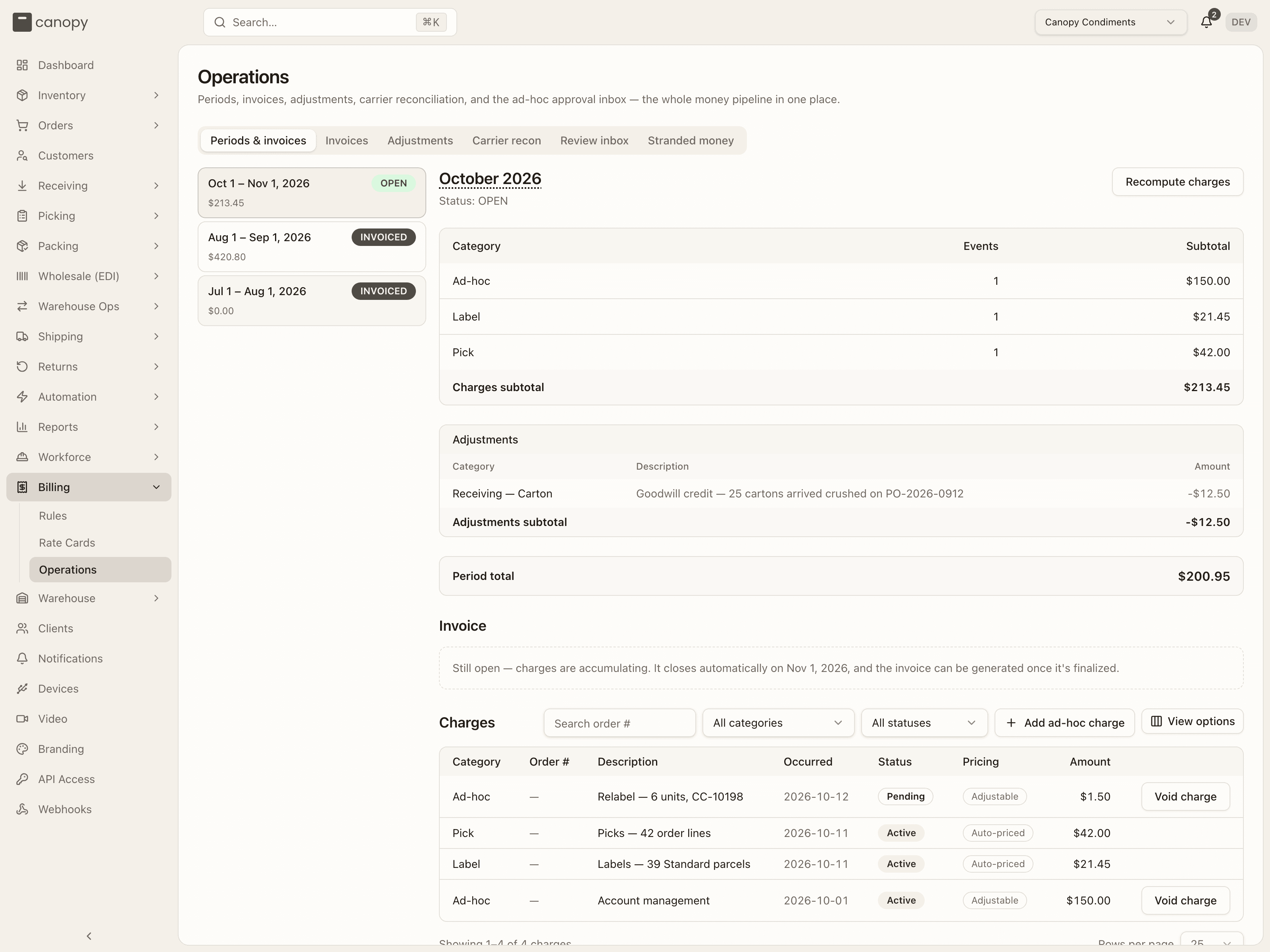
The rail lists the client's billing periods — window (Sep 1 – Oct 1, 2026), a status badge (OPEN green, CLOSING amber, FINALIZED grey, INVOICED dark) and the charges total. "No billing periods — Periods open automatically on the client's billing schedule." when there are none. Selecting one renders its command centre.
The period dashboard
The month heading (hover it for the exact UTC boundaries), Status: …, and for admins Recompute charges — it queues the charge generators on the worker ("Recompute queued — charges refresh once it finishes.") and the numbers refresh over the next half minute. Recompute is for open periods only. Periods are never closed from here: a period is a span of time that closes when its window elapses; the hourly rollover closes and opens them on the client's cadence.
Two banners name two different leaks, because they need different fixes:
- Uncharged events: N — "these source events reached billing but matched no rule, so they are not on the invoice." On an open period: "Add or widen a rule on the live rate card before the period closes; the next recompute picks them up."; on a settled one they will never bill here. Show events unfolds the rows — category, source, date and the reason.
- No rate card in force for part of this period — "everything in <window> bills nothing at all, and produces no per-event record to review. Give the client a rate card covering that window."
Then the subtotals table — Category / Events / Subtotal, with a Charges subtotal ("No charges yet for this period." when empty) — an Adjustments table when the period has any (category, description, amount; credits in red; Adjustments subtotal), and the Period total.
Invoice
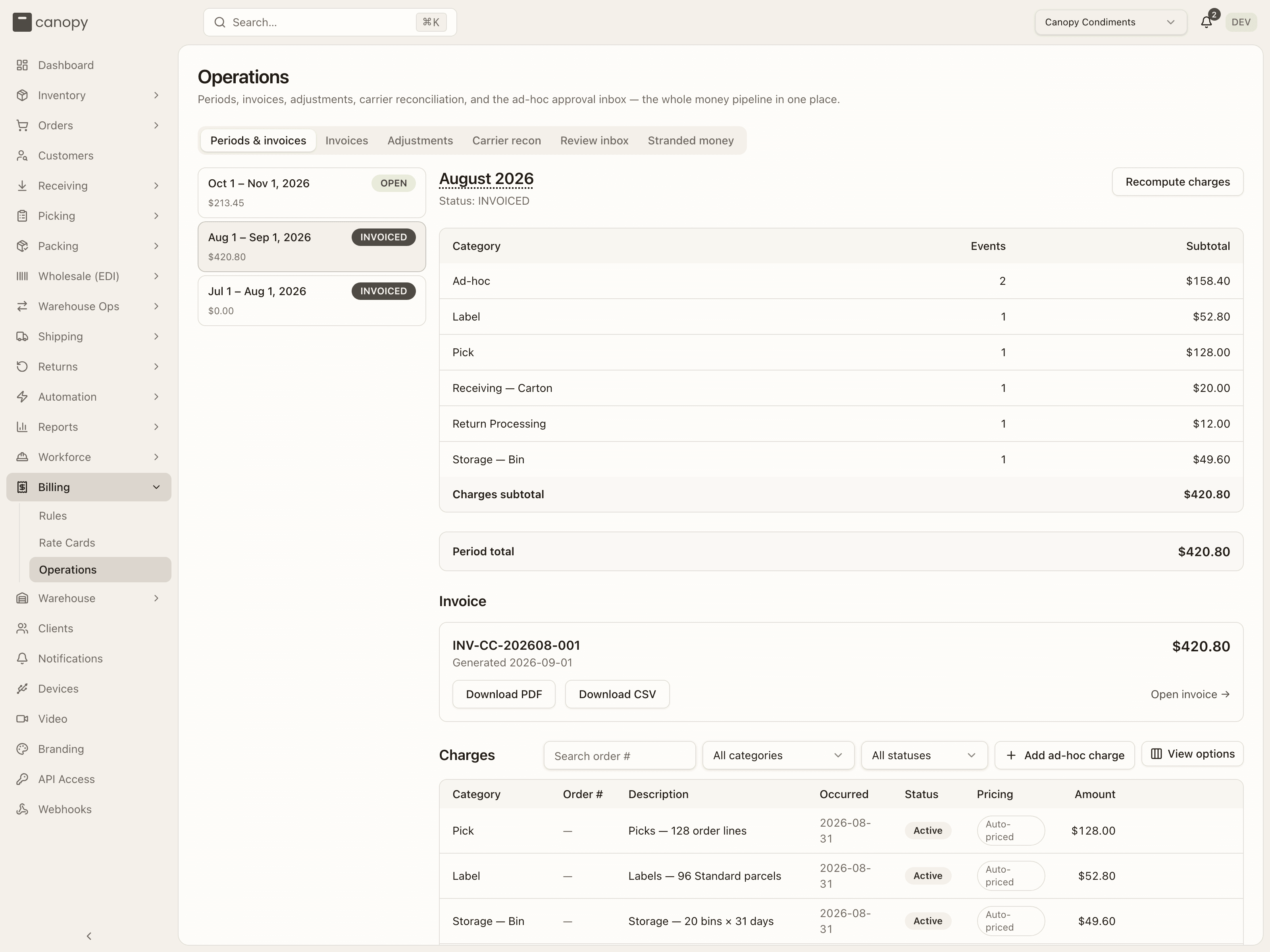
The Invoice panel follows the period's status: while open it says "Still open — charges are accumulating. It closes automatically on <date>, and the invoice can be generated once it's finalized."; while closing, "This period has closed and is being finalized."; once finalized, "Ready to invoice — This period is finalized. Generate the client PDF and the accounting CSV." with Generate invoice (admins); and once invoiced, the invoice number, Generated <date> · Sent <date>, its total, Download PDF, Download CSV and Open invoice →. The server refuses to invoice a period that is not finalized, and a period that already has an invoice.
Charges
The Charges drill-down lists every charge in the period: a Search order # box, a category filter and a status filter (All statuses / Active / Voided), Add ad-hoc charge, and the table — Category, Order # (a link to the order, shipment, receipt or bin the charge came from; — for charges with no order), Description, Occurred, Status (Active, Pending, Denied, Voided — a voided row is muted and struck through), Pricing and Amount. The Pricing column says why a row can or cannot be voided: Auto-priced — priced by a rate-card rule from its source event; change the rule to reprice, a hand void would be reinstated at the next recompute — or Adjustable — entered by hand (an ad-hoc, recurring, manual or work-order charge), voidable here while the period is open. "No charges in this period yet." / "No charges match the current filter." when empty.
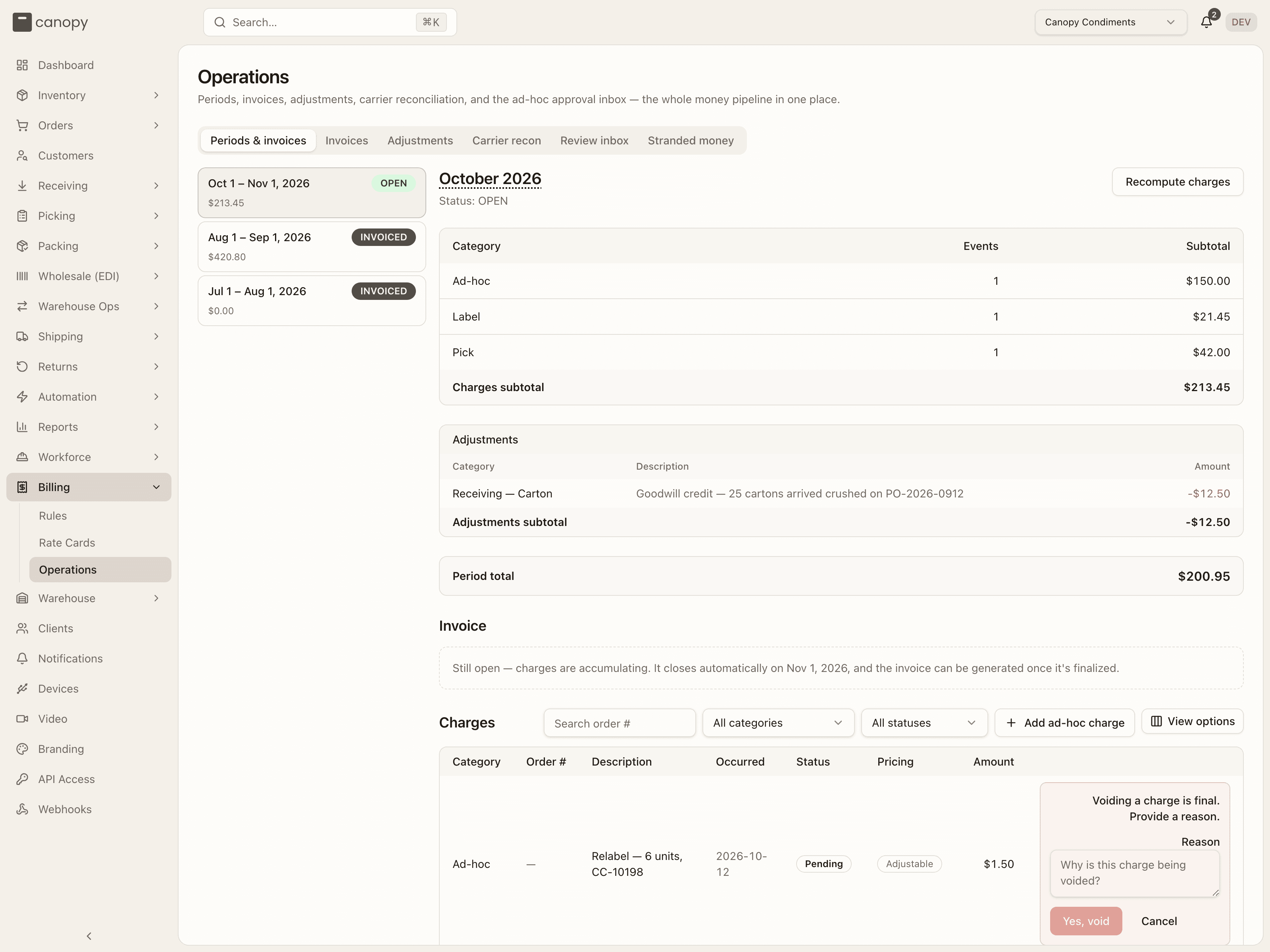
An admin sees Void charge on each active adjustable row. It is a two-step confirm in place: the first click reveals "Voiding a charge is final. Provide a reason." with a Reason box and Yes, void; both clicks are required. The server refuses to void a generator-owned charge ("…voiding it by hand would be reverted by the next recompute. Add a negative adjustment against this charge instead."), an already-voided one, and any charge whose period is no longer open.
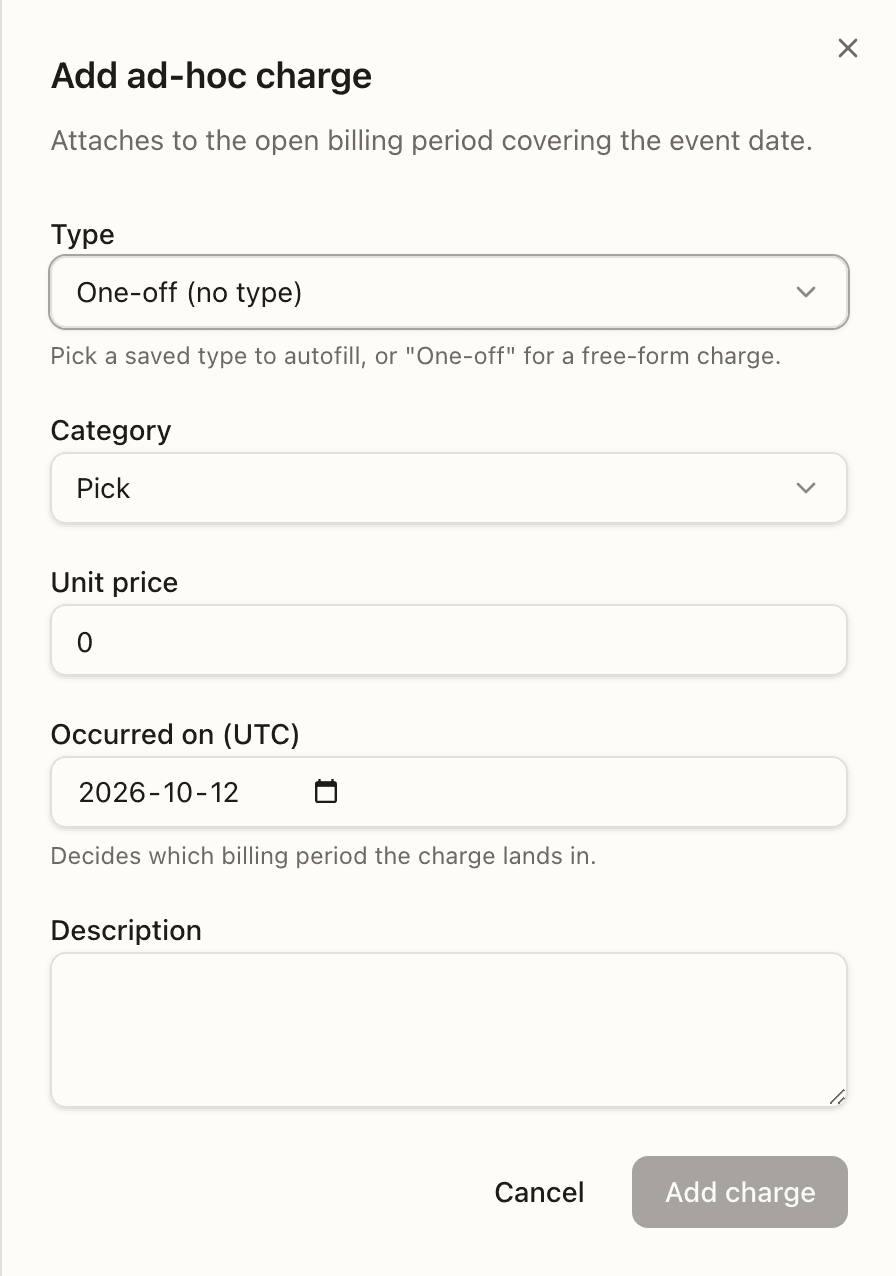
Add ad-hoc charge opens the drawer — "Attaches to the open billing period covering the event date.": Type (One-off (no type), or a manual type from the client's catalogue, grouped, with its default price; picking one autofills the rest), Category (every category but the three fee ones; Pick is preselected here), Unit price, Occurred on (UTC) ("Decides which billing period the charge lands in.") and Description (required). Add charge posts it to the open period covering that date — there must be one. It lands Pending for the Review inbox only when a non-admin adds it and it is gated — the Ad-hoc category, or a saved type that still requires approval; an admin's charge is approved as it is added, and a non-admin's one-off in any other category is never reviewed. The same button sits at the end of the receiving, picking, packing, bulk ship, returns and work-order workflows, scoped to that workflow's categories and types; here every category and type is offered. Automatic types and the three fee categories cannot be added by hand.
Adjustments (this period)
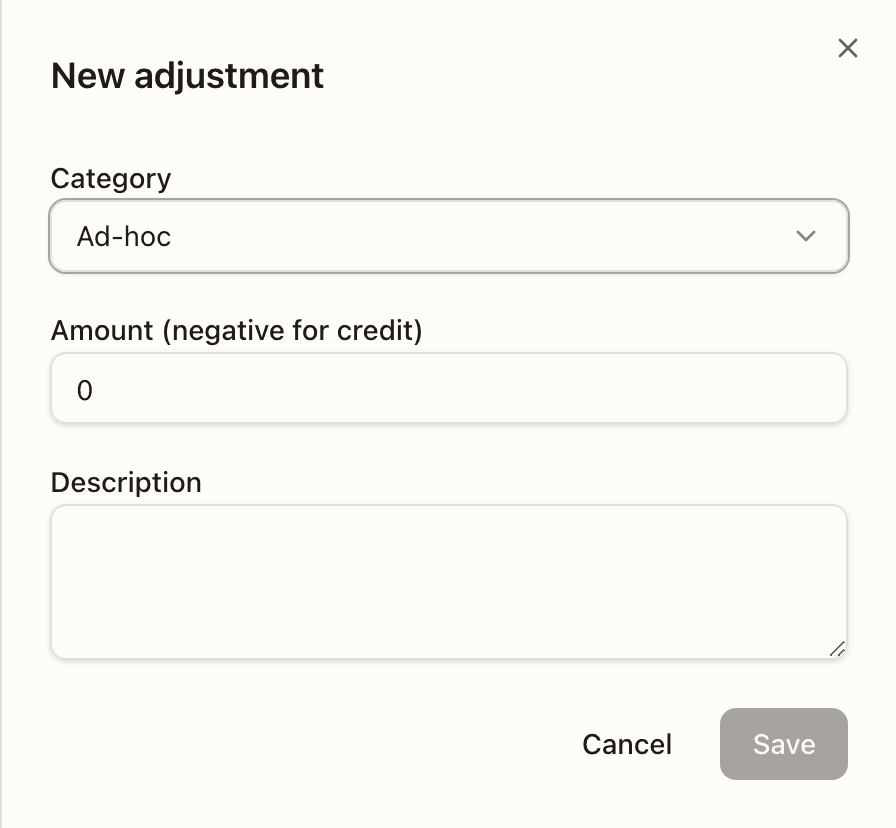
"Credits and corrections — editable while the period is open." New adjustment (open periods only) opens a sheet with Category, Amount (negative for credit) and Description; the table shows Category, Description, Applies to (the shipment or order a booking targets, or —), Booked, Amount and, for manual rows, pencil and trash. Rows a pipeline booked (a voided label's credit, a carrier reconciliation) read System and can't be edited — "post a separate manual adjustment to correct it". Deleting asks "This can't be undone. It will only succeed if the period is still open."; once a period closes every edit is refused — "Cannot update adjustment: target period is in status 'FINALIZED', expected OPEN" (or Cannot delete adjustment: …). Flipping a shipment credit positive asks first: it re-arms the shipment's void flag.
Invoices
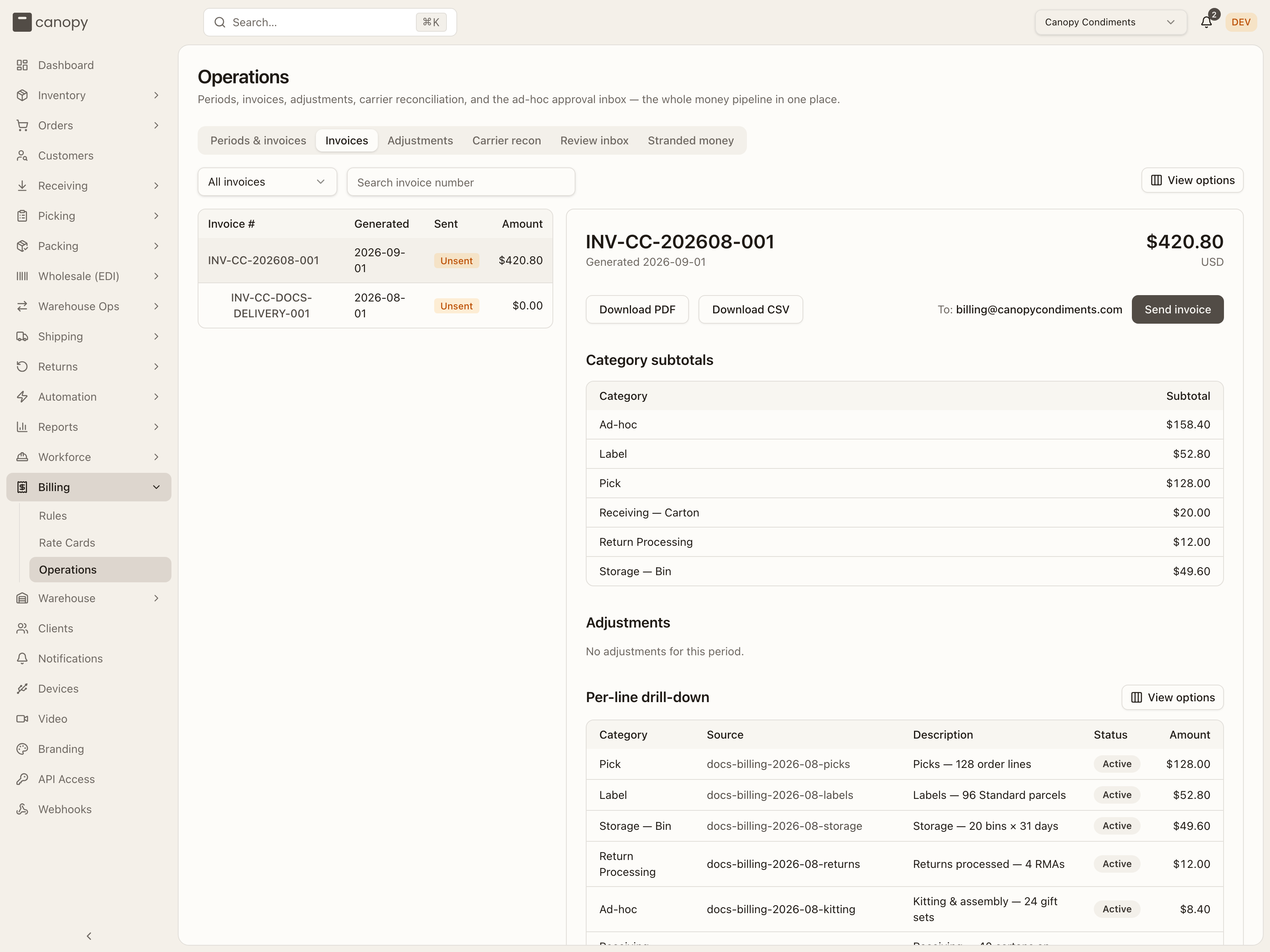
The invoice archive for the pinned client, master-detail: a filter (All
invoices / Sent only / Unsent only), Search invoice number, and a table
of Invoice #, Generated, Sent (an amber Unsent badge until it
is) and Amount, paginated. Selecting a row renders the invoice beside it
— the same view as the invoice page below. "No invoices yet — Once a billing
period is finalized, an invoice will appear here." Invoice reads admit
Tenant Admins and client users but not Tenant Operators, so this tab reads
"Could not load invoices." for an operator. A partner API credential
holding billing:read reads them too: pinned to a client, it gets that
client's invoices in the client's own shape, and can download one but is
never given a storage link (see Billing).
The invoice page
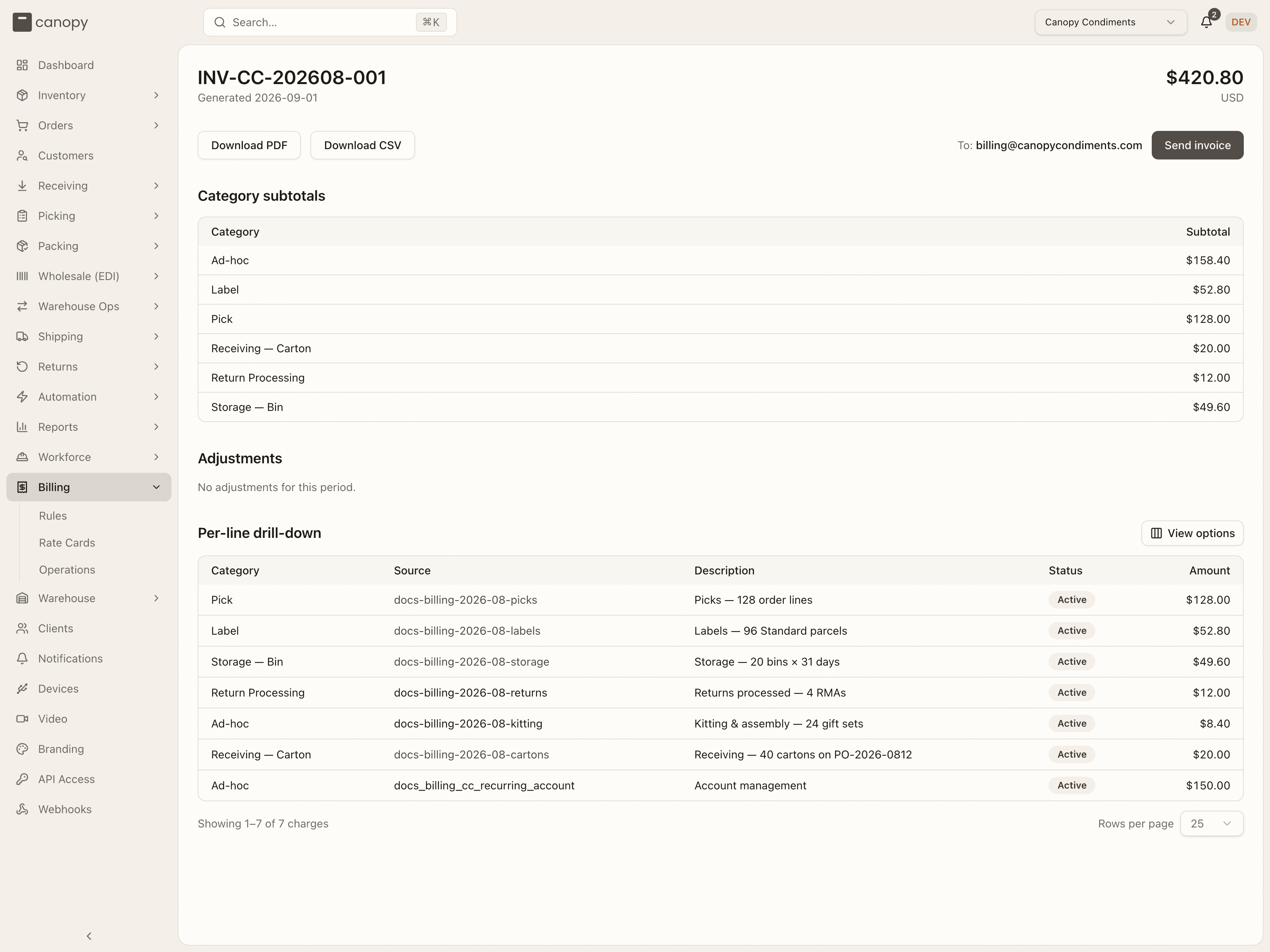
/billing/invoices/<id> (also Open invoice → from a period) shows the
invoice number, Generated <date> · Sent <date>, the total and
its currency; Download PDF and Download CSV (rendered on demand);
To: <the client's billing email> — or "No billing email on file —
set one on the client first", which disables sending — and, for a Tenant
Admin, Send invoice. Sending puts the invoice in a queue instead of
mailing it there and then, and the toast says "Invoice queued for delivery —
see the status below." Whether it went out, or why it could not, also lands
in your bell's
System tab.
Below: Category subtotals, Adjustments ("No
adjustments for this period.") and the Per-line drill-down — every
charge of the period with its Status, so a Denied, Pending or Voided line
the subtotals leave out is visibly different from a billed one. An invoice
that can't be loaded reads "Couldn't load this invoice."
Delivery status
Under the button, a Tenant Admin sees how the latest send went. It reads "Send to <billing email> is queued." while it waits, "… is retrying (attempt N)." after a try that failed, "… was delivered." once it lands, and "… failed after N attempts" with the error when Canopy gives up. A resend says Resend instead of Send.
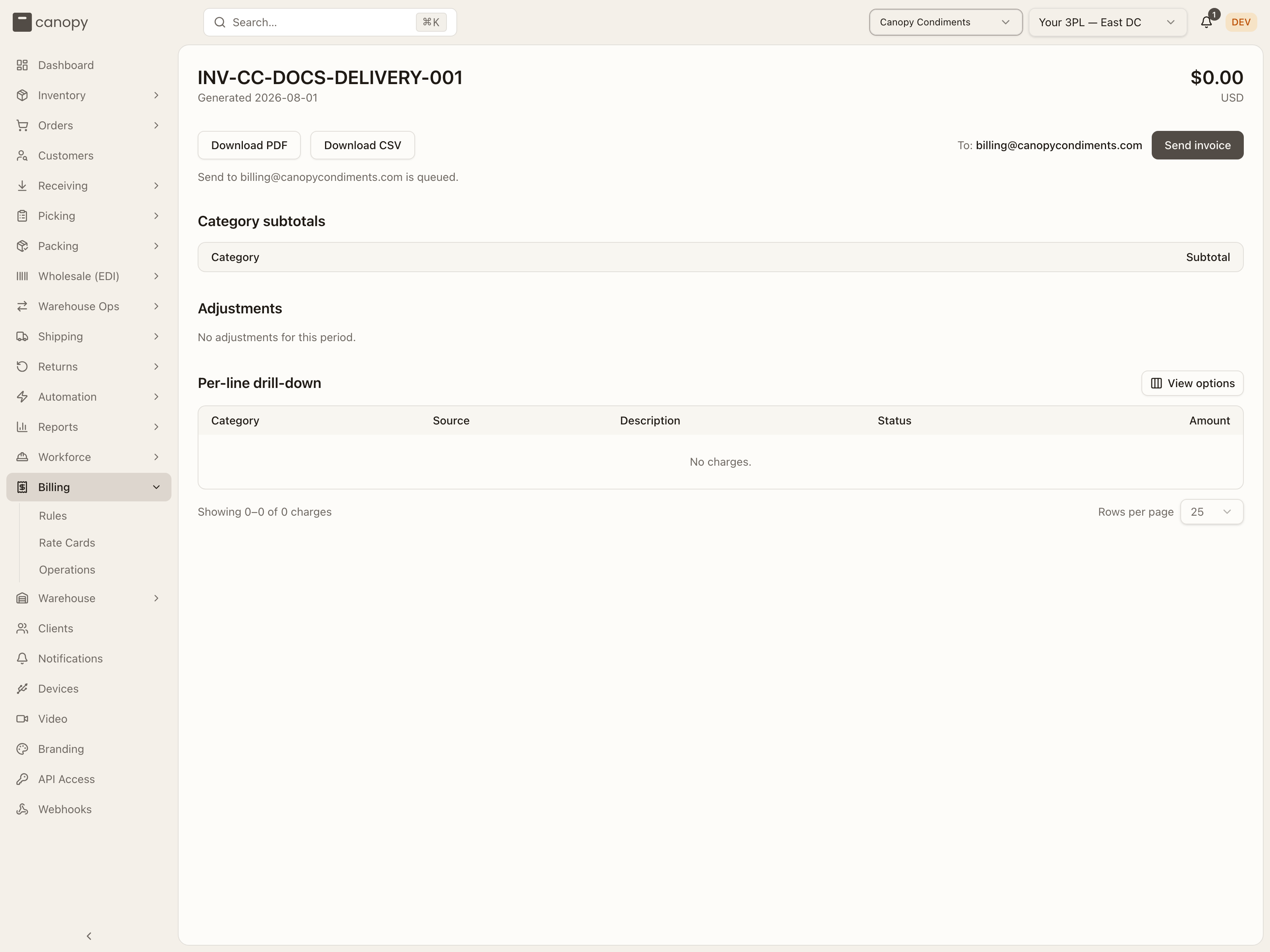
Once a copy may already be out, the button reads Resend invoice and a plain send is refused. A copy may be out after a delivered send, or after a failed one that had already reached the mail provider.
Adjustments
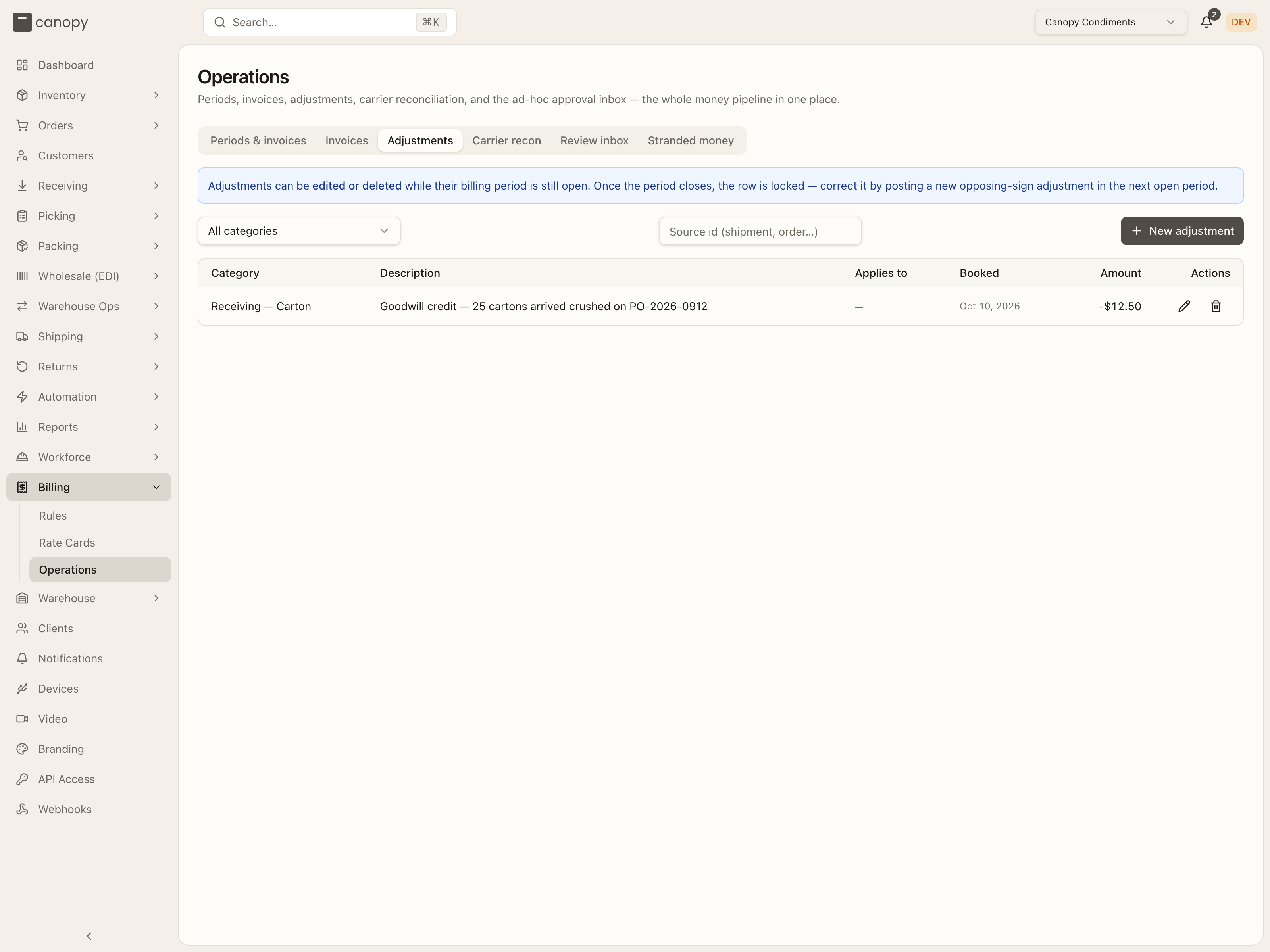
The client-wide list: "Adjustments can be edited or deleted while their billing period is still open. Once the period closes, the row is locked — correct it by posting a new opposing-sign adjustment in the next open period." Filter by category or paste a Source id (shipment, order…) to see every booking against it; New adjustment posts to the client's open period ("No open period — new adjustments post once one opens."). The table and sheet are the ones above.
Carrier recon
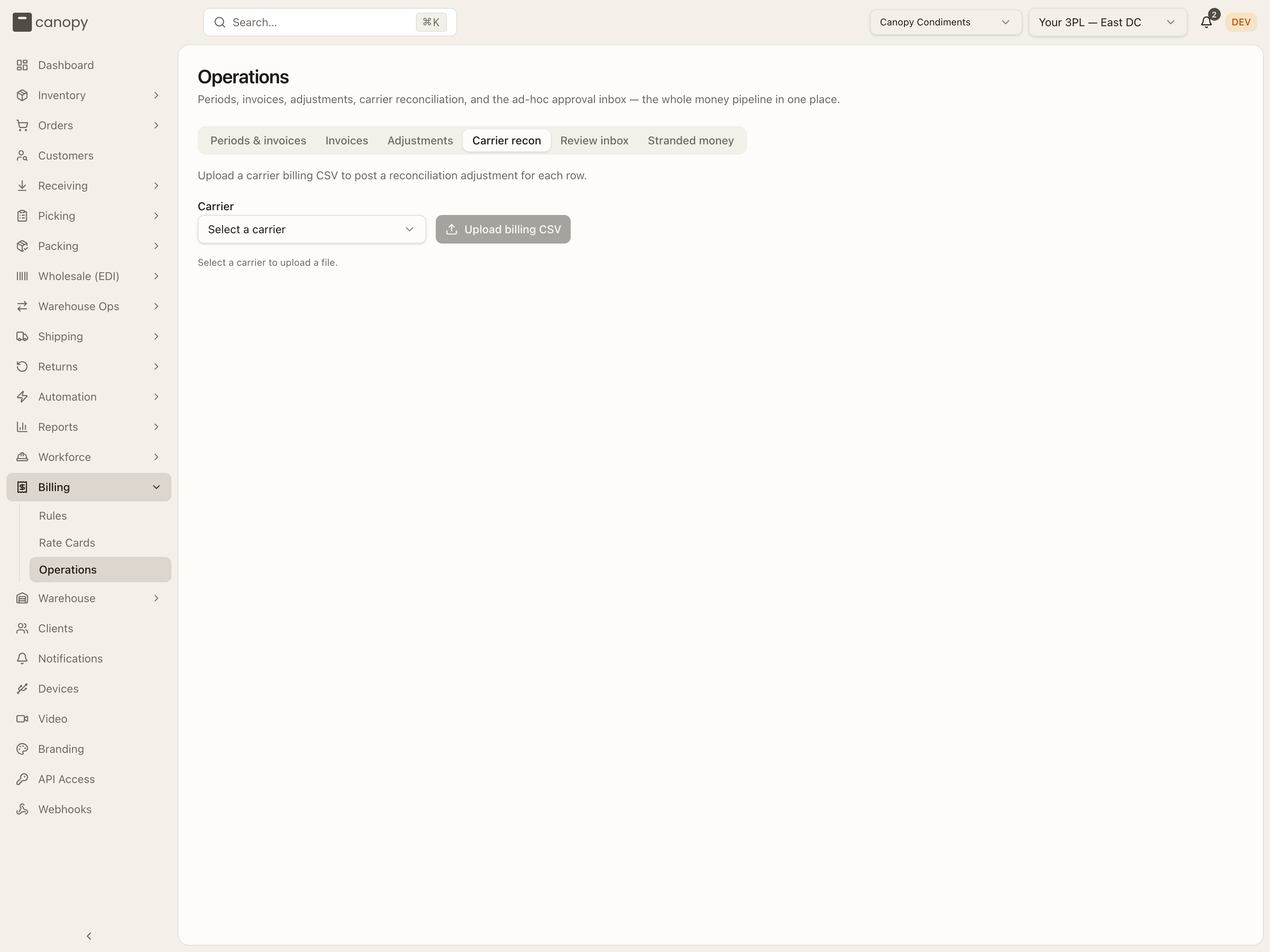
"Upload a carrier billing CSV to post a reconciliation adjustment for each row." Pick the Carrier (today: USPS) — the line under it turns from "Select a carrier to upload a file." to "Each row becomes one shipping reconciliation adjustment." — then click Upload billing CSV (greyed out until a carrier is picked) to open the shared CSV import dialog for that carrier's file, Import USPS carrier billing CSV, the same one Receiving and Inventory use.
The preview names what each row will do in its Result column. A row whose tracking_number matches one of the client's parcels is charged to it (charge $0.81 to Order # CC-10198: Dimensional weight adjustment), and the number links to the carrier's tracking page. A row matching nothing, or carrying no tracking number at all, books as a standalone adjustment and is flagged as a warning ("No matching shipment found — will be created as a standalone adjustment.", "Row has no tracking number — will be created as a standalone adjustment."). Four kinds of row are skipped: one already committed (from this file or an earlier version of it, with the date it was first booked), a parcel that already carries a reconciliation adjustment (already reconciled), a tracking number repeated within the file (duplicate in this file), and a label the client bought on their own carrier account (client-fronted label) — the client paid the carrier directly, so the 3PL has nothing to reconcile. Above the table, Total to bill states the money the bookable rows add up to and how many there are, and a notice warns when the client has no open billing period ("…so a commit will be refused. Open one first.") or when the file's currency is not the one the period settles in ("USPS file amounts are USD but the client's open period settles in CAD — commit will be refused.") — either refuses the commit. The confirm button reads Create N, skip M; a row the carrier file states badly is a row error and the rest of the file still books. A row another commit booked while this one ran comes back as skipped: already on the books. A commit that races the period's close is refused whole, with nothing written: "…the client's billing period closed while this commit was in flight, so no adjustments were written. Retry once the client's next billing period is open." The same happens when another billing job is writing to the period at that moment: "Another billing operation is writing to this client's period. Nothing was booked — retry the upload."
A USPS file must carry assessed_postage_adjustment (a signed decimal with
at most two places — anything else is a row error, "Enter a signed amount
with at most two decimal places"); tracking_number (TN: prefix
accepted) and assessment_note are read when present. The carrier's other
columns are listed as ignored. Files are capped at 10,000 rows.
Review inbox
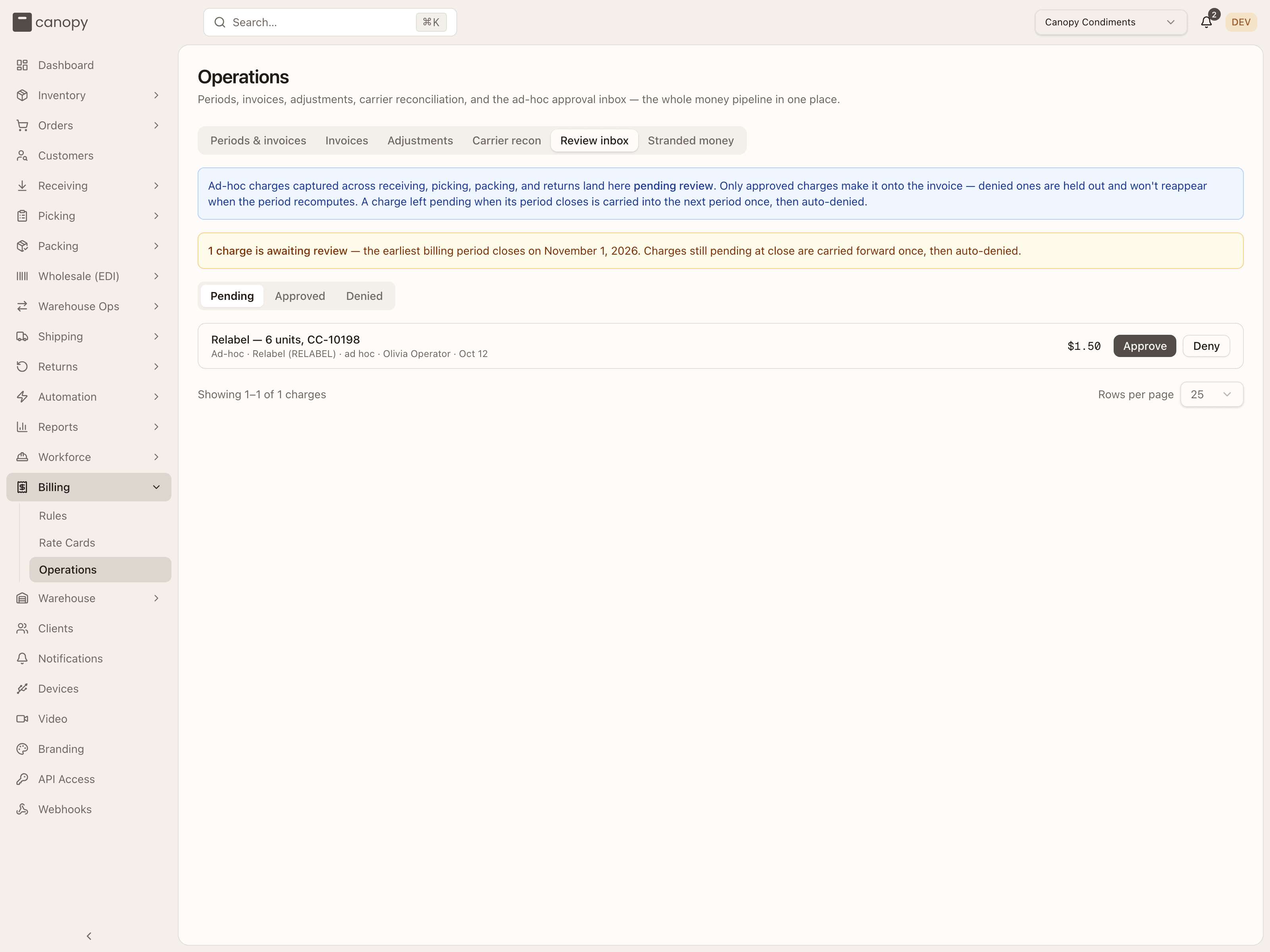
"Ad-hoc charges captured across receiving, picking, packing, and returns land here pending review. Only approved charges make it onto the invoice — denied ones are held out and won't reappear when the period recomputes. A charge left pending when its period closes is carried into the next period once, then auto-denied." An amber banner counts the charges awaiting review and names the earliest period close. Tabs Pending / Approved / Denied; each row shows the description, category, ad-hoc type and code, the order number (or source), who raised it and when, and the amount. Pending rows have Approve and Deny — Deny charge requires a note, "kept on the audit log"; reviewed rows show who reviewed, when, the note, and a status badge. "Inbox zero — No ad-hoc charges waiting for approval." when clear. Once a period leaves open its charges can no longer be reviewed.
Stranded money
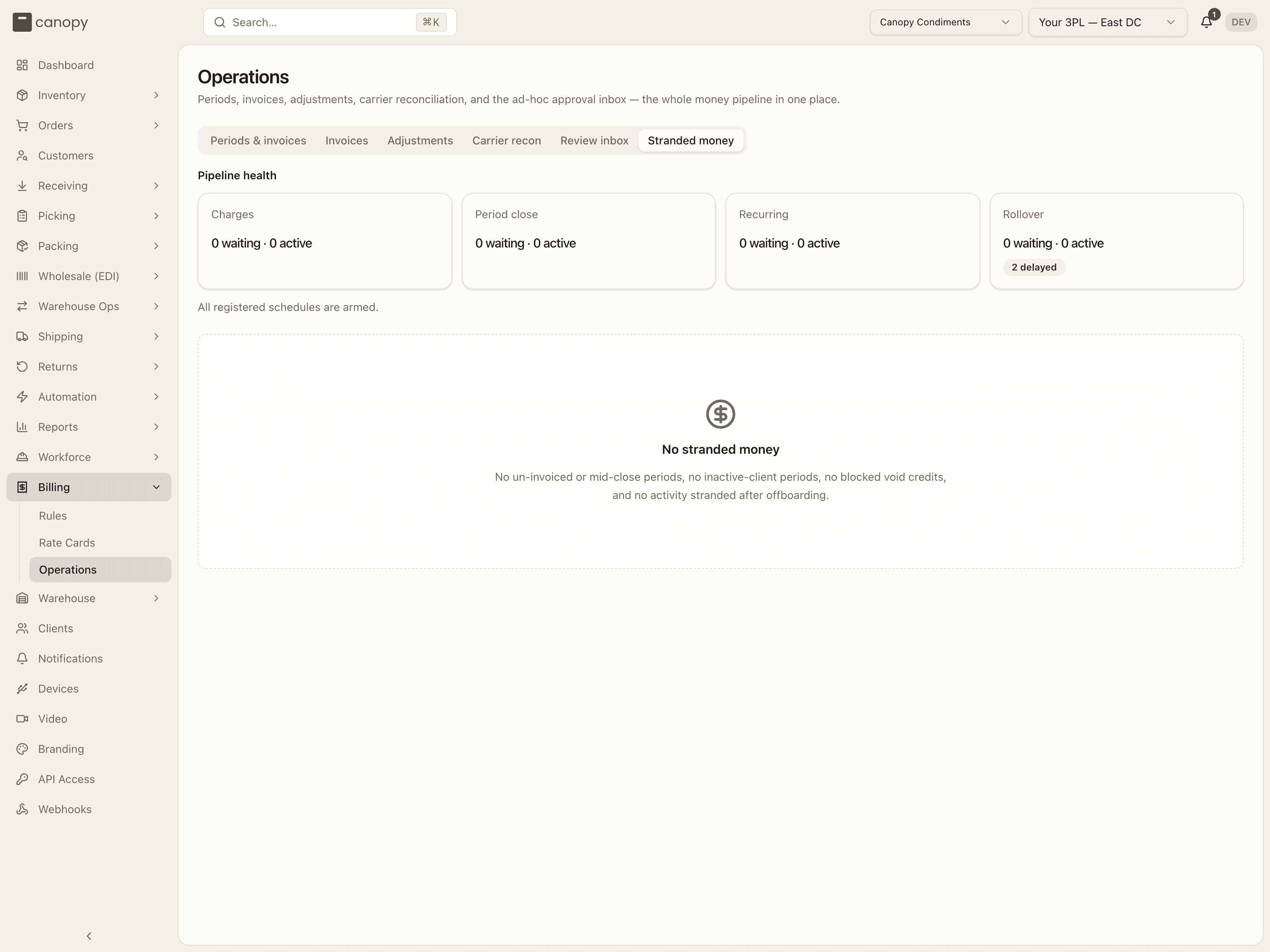
The admin's tenant-wide view of money the client pin can never reach, in two halves. Pipeline health first: a tile per queue — Charges, Period close, Recurring, Rollover — with waiting · active counts and failed / delayed badges, a void credits blocked badge, and the schedule check: "All registered schedules are armed." or the lists of jobs Not armed (this work is not running. An API deploy or restart re-arms it), armed at the wrong Interval, or Unregistered (a renamed job's leftover, still firing).
Then the report itself — KPI tiles for Stranded periods, …of inactive clients, Blocked void credits and Unbilled after offboarding (counts, never cross-currency sums), and up to three lists:
- Periods awaiting invoicing or closure — client, an Inactive client badge, window, status, a red Invoice exists — status regressed badge on a period that needs a status heal rather than an invoice, the totals, and Generate invoice on a finalized period.
- Void credits waiting on a human — a voided label whose credit the sweep could not book: Currency boundary (the client's open period settles in another currency) offers Resolve, which books the manual credit note — amount (converted, zero or negative), category (any resolves the flag), description; No landing period (client offboarded) offers Open period instead, so the sweep books the credit itself on its next run.
- Activity after offboarding — billed to nobody — events after the client's final period closed; Open period opens one over the event's own date, then you recompute and invoice, and the offboarding sweep closes it again within the hour. Opening a period for a client with active recurring charges asks first, since it bills a full subscription period.
"No stranded money" when every list is empty.
Per-warehouse jobs in the schedule check
Most scheduled jobs run once for the whole system. The nightly
cost-to-serve job
is different: each active warehouse gets its own copy, at 00:30 in that
warehouse's timezone. While cost to serve is switched on, the schedule check
counts the warehouses whose copy is missing. They show as one Not armed
row, cost-to-serve-* on cost-to-serve, ending "N active warehouse(s)
without a scheduler". Those warehouses get no new cost-to-serve figures
until the API is deployed or restarted.
A job like this runs at a set time of day, not every few minutes, so it has no interval to compare. When copies are armed on the wrong time pattern, its Interval row reads runs on "…", expected "…": the pattern they run on, then the one they should have. Only the pattern is compared, not the timezone. A ×N beside the name counts the copies that drifted, when more than one did.
How to invoice a period
Pin the client and open the period
Pick the brand in the top bar, open Billing → Operations, and select the period in the rail — the open one is where this month's charges are accruing.
Clear the leaks while the period is still open
Act on an Uncharged events banner by adding or widening a rule on the live rate card, then Recompute charges; fix a No rate card in force banner by giving the client a card that covers the window. Post any credits under Adjustments now — they lock when the period closes.
Review the pending ad-hoc charges
On the Review inbox tab, Approve or Deny each pending charge before the period closes; a charge still pending at close is carried forward once, then denied.
Wait for the close, then generate the invoice
The period closes on its own when the window ends and is finalized by the worker; the Invoice panel then reads Ready to invoice. Press Generate invoice.
Download the documents
From the panel or the invoice page, Download PDF for the client and Download CSV for accounting.
Rate Cards
One client's pricing at a time — the card's rules by category, its draft / scheduled / active / ended lifecycle, its billing cadence, and the dialogs that create, revise, duplicate and version it.
Administration
Manage your 3PL's clients, the users who run the warehouse, their task roles, and your tenant's branding.