

Sales by SKU
How each SKU is selling against the stock you have left — sell-through, rolling sales totals, and how long the stock will last.
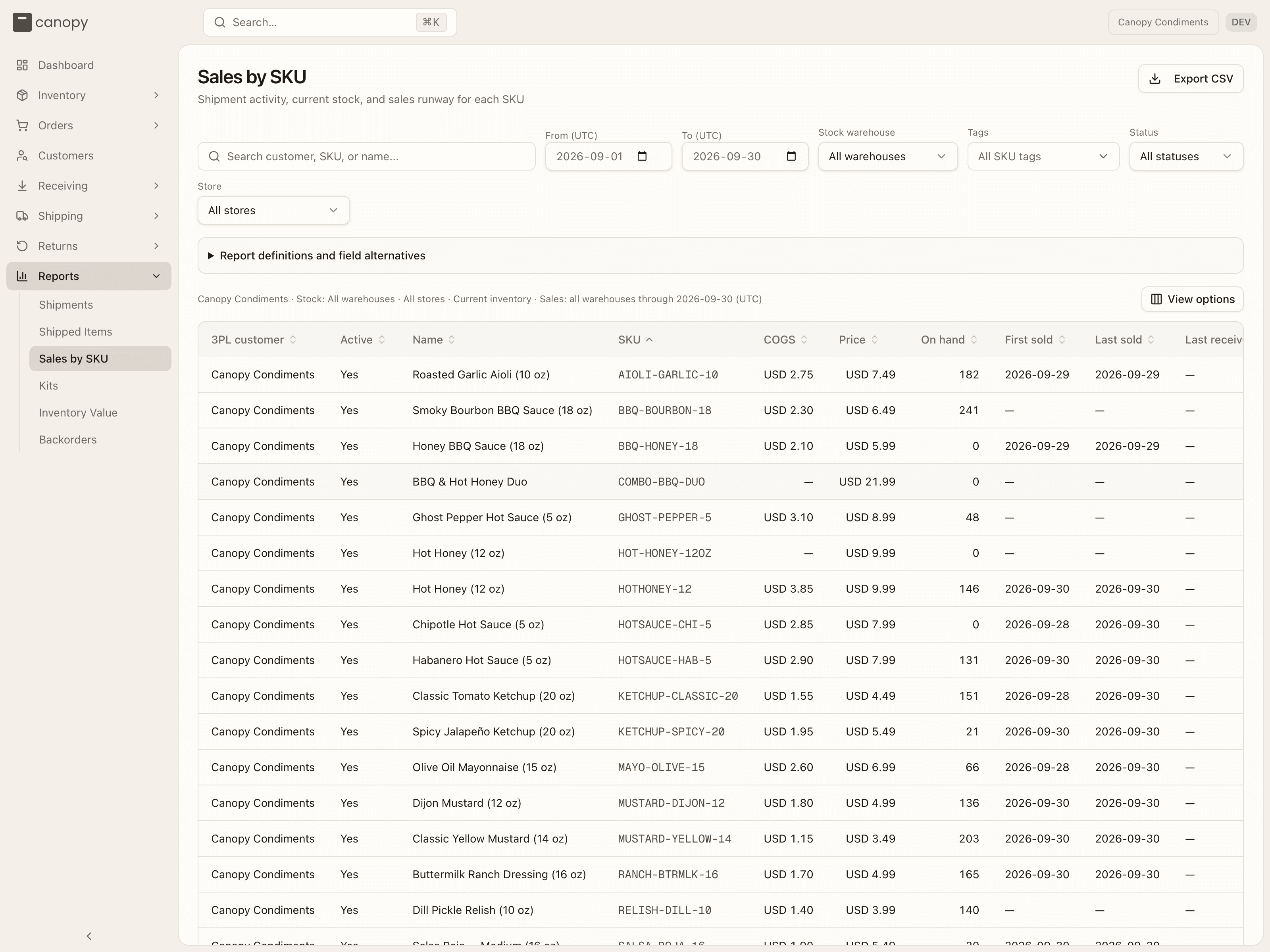
The Sales by SKU report puts sales and stock side by side, one row per SKU. It answers the two questions a buying decision needs: how fast is this moving, and how long will what I have left cover it.
Choosing the window
From (UTC) and To (UTC) default to the last 30 days ending today. Every rolling sales figure — 7, 30, 60, 90 and 365 days — ends on the To date you pick, so moving it shifts the whole report's view of "recent" rather than just one column.
Filtering
Search by customer, SKU or product name. Four selects narrow it further:
- Stock warehouse — defaults to all of them.
- SKU tags — matches any storage tag you select.
- SKU status — the SKU's Active or Inactive state.
- Store — one of your sales channels.
Sales and stock are scoped differently
This trips people up. Sales always span every warehouse, whatever you pick — a unit sold is a unit sold, wherever it shipped from. The Stock warehouse select narrows the stock side only: on hand, available, receipts, counts, backorders and inbound supply.
Store works the same way round: it limits sales and backorders to that channel, while stock, allocations, receipts, counts and inbound stay shared across all of them.
Reading a row
Twenty-six columns, which group into six ideas:
| Group | Columns |
|---|---|
| Identity | 3PL customer, Active, Name, SKU |
| Money | COGS, Price, Current value |
| Stock now | On hand, Available, Backorder, On order |
| History | First sold, Last sold, Last received, Last qty received, Last stock take, Stock take adjustment |
| Rolling sales | 7-, 30-, 60-, 90-, 365-days sales, Sales sent in period |
| Projections | 30 day sales thru %, Weeks until sold out, Months until sold out |
COGS is the per-unit Cost of goods you enter on the SKU's Details tab, and Current value is Available × COGS. Both stay blank until you set a cost, so filling those in is what turns this report into a valuation.
Available is sellable stock minus live allocations, counted per warehouse. It includes non-pickable reserve and overstock locations — anything in an active, sellable bin outside a quarantine zone, on stock with no lot or on an active lot that still meets the SKU's shelf-life requirement — so pallets waiting to be replenished down to the pick face count as available. Backorder is outstanding unreserved demand — the same figure the Backorders report works from. On order is what's still outstanding on open purchase orders.
The projections
30 day sales thru % is 30-day units ÷ (30-day units + on hand) × 100 — the share of what you held that actually moved. Months until sold out is on hand ÷ 30-day sales, rounded up; Weeks until sold out is that same ratio × 4.34.
Both go blank when you still have stock but sold none in 30 days — there's no honest way to project a runway from zero sales. Empty stock reads zero.
What counts as a sale
A Report definitions and field alternatives panel above the table spells this out in full, and it's worth reading before you quote a number at anyone. In short: sales are units on active outbound shipments, dated by ship date. Voided shipments, returned shipments and anything fulfilled outside the warehouse don't count. A wholesale order counts its units once, dated by its first carton label or freight booking. A complete kit counts once under the kit's own SKU — its components don't count separately unless they sold on their own, and an incomplete kit isn't a sale at all.
Exporting
Export CSV downloads every SKU matching your filters with all 26 columns — not just the page on screen — and the toast tells you how many it wrote. It's capped at 10,000 SKUs per file; past that, narrow the customer or SKU filters and export in slices.
Missing costs, prices, dates and unavailable estimates stay blank rather than showing as zero, so a gap in the file is a gap in the data, not a real number.
Working with the table
Show and hide columns from View options — the panel is headed Show columns, and Show all columns puts them back. Your choice sticks between visits. Rows per page goes up to 250. Clicking a column header sorts it, toggling ascending and descending. Clicking a SKU opens that SKU's detail.
3PL customer is the one column you can't hide; on your account it simply repeats your brand's name on every row.